




Help Center - Getting Support and Providing Feedback
CloudMedico's Help Center is your central hub for support, feedback, and staying informed about the latest updates. The Help Center provides multiple ways to get assistance, share your thoughts, and learn about new features.
Help Center Overview
The Help Center dashboard provides quick access to all support-related features. From here, you can watch the demo videos, submit feedback, view the changelog, and access comprehensive documentation.
Demo Videos
Demo Videos has short videos of the main CloudMedico workflows, such as adding a patient, booking an appointment and recording a visit. Open it from the Help Center whenever you want to see how something is done.
Feedback and Contact Us
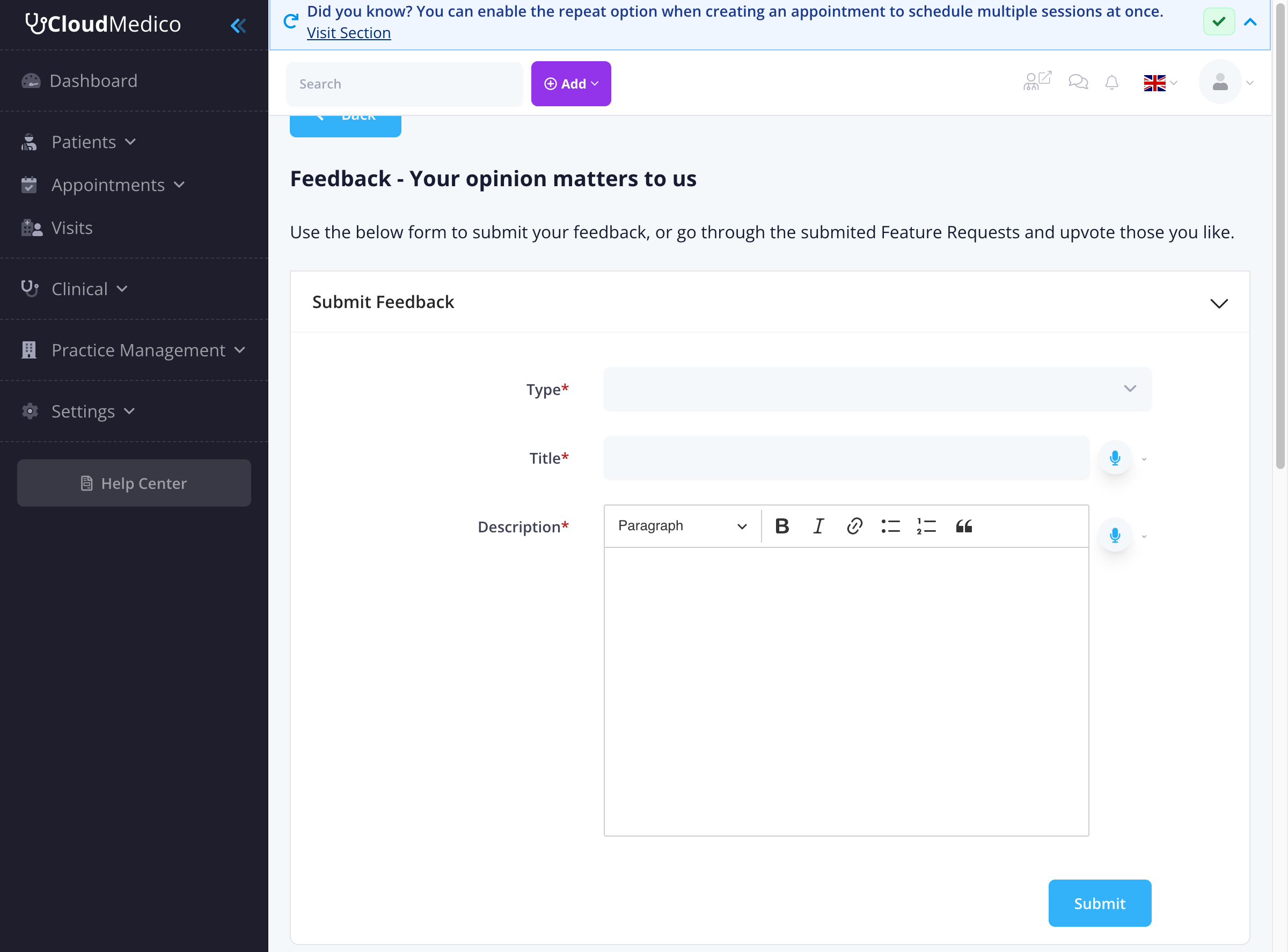
The Feedback section allows you to submit various types of feedback, including feature requests, bug reports, and support requests. Your feedback is valuable and helps us improve CloudMedico for all users.
Submitting Feedback
To submit feedback:
- Select Type: Choose from 'New Feature Request', 'Program Error', 'Support Request', or 'Other'
- Provide Title: Give your feedback a clear, descriptive title
- Add Description: Use the rich text editor to provide detailed information about your feedback
- Submit: Click 'Submit' to send your feedback
We reply to support requests by email, at the address you sign in to CloudMedico with. Questions the Help Assistant sends to support are answered the same way.
Feature Requests
The Feature Requests section displays all submitted feature requests from users across all clinics. You can:
- View all requests: See what features other users have requested
- Upvote/Downvote: Use the voting arrows to show your support or opposition to specific requests
- Sort by popularity: View the most popular requests first
- Sort by latest: See the most recent requests
Changelog
The Changelog keeps you informed about all the latest changes, improvements, and new features added to CloudMedico. This is your go-to place to stay updated with system enhancements.
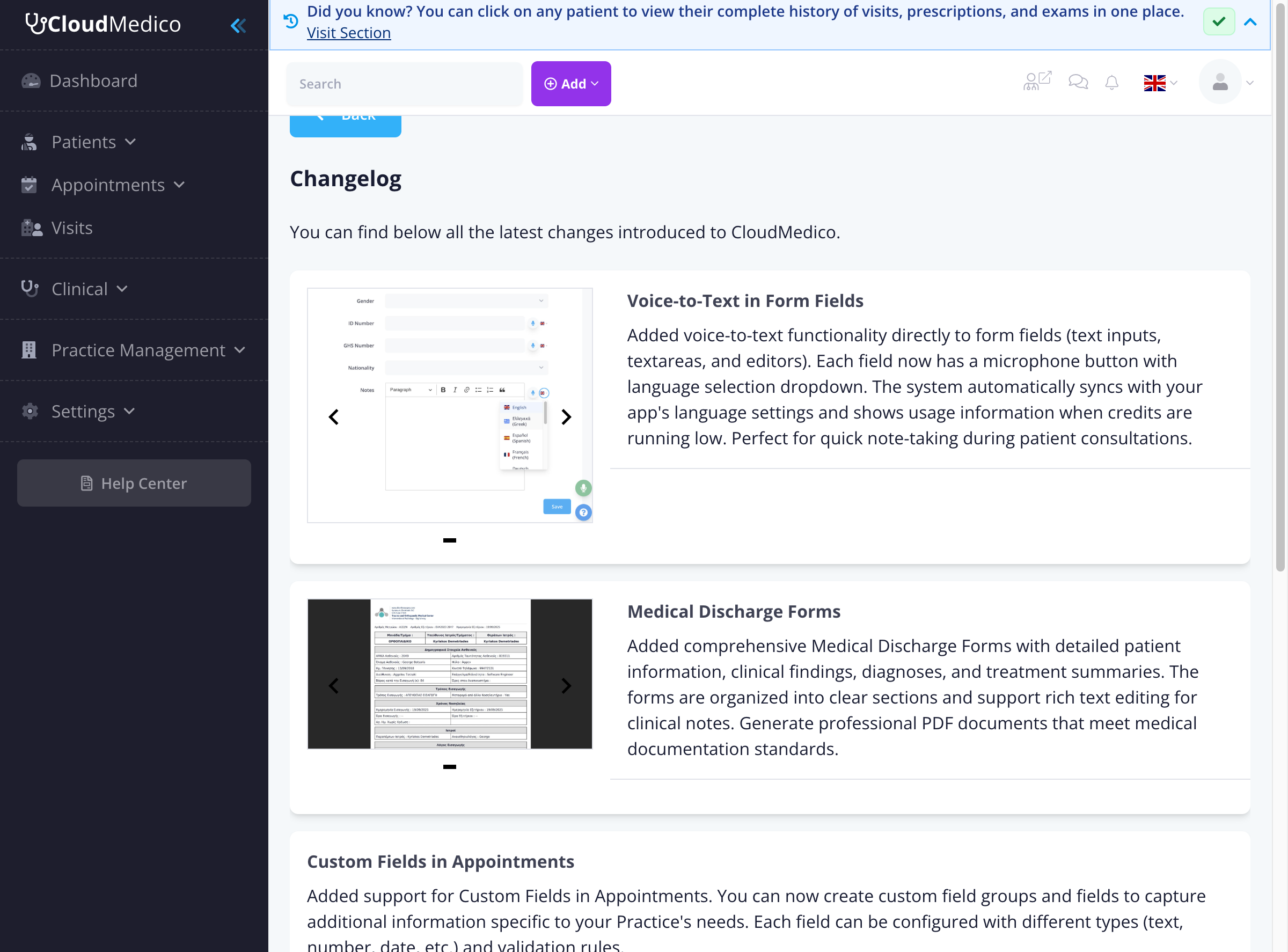
The changelog includes:
- New Features: Detailed descriptions of new functionality
- Improvements: Enhancements to existing features
- Bug Fixes: Issues that have been resolved
- Screenshots: Visual examples of new features
- Navigation: Easy browsing through multiple pages of updates
Documentation
The Documentation section provides comprehensive guides and tutorials for using CloudMedico effectively. This includes step-by-step instructions for all features and best practices for practice management.
Getting Help
If you need immediate assistance:
- Use the feedback form for support requests or bug reports
- Watch the demo videos to see the main workflows step by step
- Check the changelog to see if your issue has been addressed in recent updates
- Browse the documentation for detailed guides on specific features
Tips for Effective Feedback
To help us understand and address your feedback effectively:
- Be specific: Provide clear, detailed descriptions of issues or requested features
- Include context: Explain how the issue affects your workflow or why a feature would be beneficial
- Use screenshots: When reporting bugs, include screenshots if possible
- Check existing requests: Before submitting a new feature request, check if it's already been suggested
- Vote on features: Support features you'd like to see by upvoting existing requests