




Registering to CloudMedico
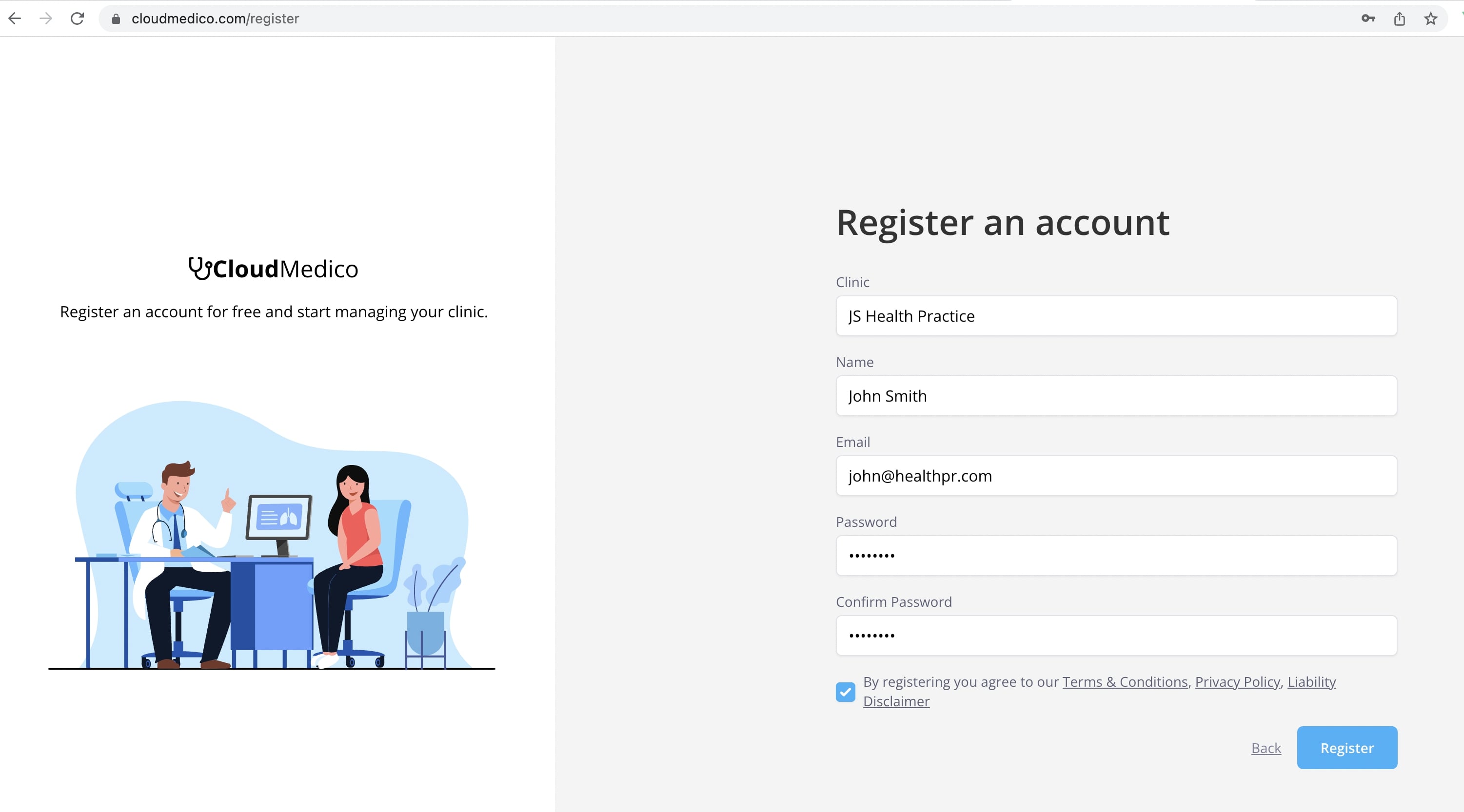
You can register for a 30-day CloudMedico trial by following the link below.
The 30-day trial gives you every CloudMedico feature while you evaluate the system. Only the amounts are limited, such as 1 practitioner, 2 users and 100 patients; see Subscriptions for the full list.
RegisterWe dont collect any payment information during registration, so you can explore your 30-day trial with no obligation.
If at any point you would like to upgrade your Plan, you can do so, using our secure payment provider, Stripe.
During registration you will be asked to provide you Clinic(Practice) name. This will be used to generate your unique url on CloudMedico, which you can use to login and manage your Practice.

After you register: the setup wizard
The first time you sign in, a short setup wizard opens on the dashboard. It has four steps, and you can skip any of them with Skip for now.
1. Your practice: choose the practice type and specialty, and CloudMedico switches on the modules that fit. Choose Other if your specialty isn't listed to get every module. You can change the modules later.
2. Practitioner: your name, surname, email and telephone, filled in from your sign-up. This is the name on appointments, visits and invoices.
3. Patients: add the patients you'll see this week, in one of three ways.
Upload a list: an Excel or CSV file from your old system. CloudMedico matches the columns, in Greek or English, and shows you the patients before it imports them. See Importing Patients to CloudMedico for how to prepare the file.
Paste names: one patient per line (commas and semicolons also split). The first word is the name and the rest is the surname; if your list puts the surname first, click Swap. A preview shows each patient before anything is saved, marks lines with no surname and leaves out repeated names. Click Add to add them as your real patients.
Explore with sample patients: 10 example patients with appointments, visits and invoices, to look around with. They don't count towards your plan and are never emailed, and you can delete them in one click from the patients list.
4. First appointment: book the first appointment for your first patient from the free times in your working hours (tomorrow and the next working days), or start a visit if the patient is with you, with notes, AI Scribe and dictation. Your practice address is shown here too, and Email me the link sends it to you.